

TL;DR:
- A restaurant content calendar schedules social media posts, promotions, and events to build consistency and trust. Using tools like Google Calendar, Trello, or Hootsuite, restaurants plan content around key dates, themes, and responsibilities, integrating events to boost revenue. Maintaining a 4–6 week planning cycle and tracking engagement helps refine the strategy and enhance customer engagement.
A restaurant content calendar is a scheduling system that maps every social media post, promotion, and event announcement to a specific date and channel. Without one, your marketing is reactive. With one, your restaurant shows up consistently, builds trust with guests, and turns slow nights into packed rooms. This restaurant content calendar guide covers the tools, structure, event integration, and performance tracking you need to run a repeatable, results-driven content operation. Whether you manage one location or five, the system works the same way.
What are the must-have elements and tools for a restaurant content calendar?
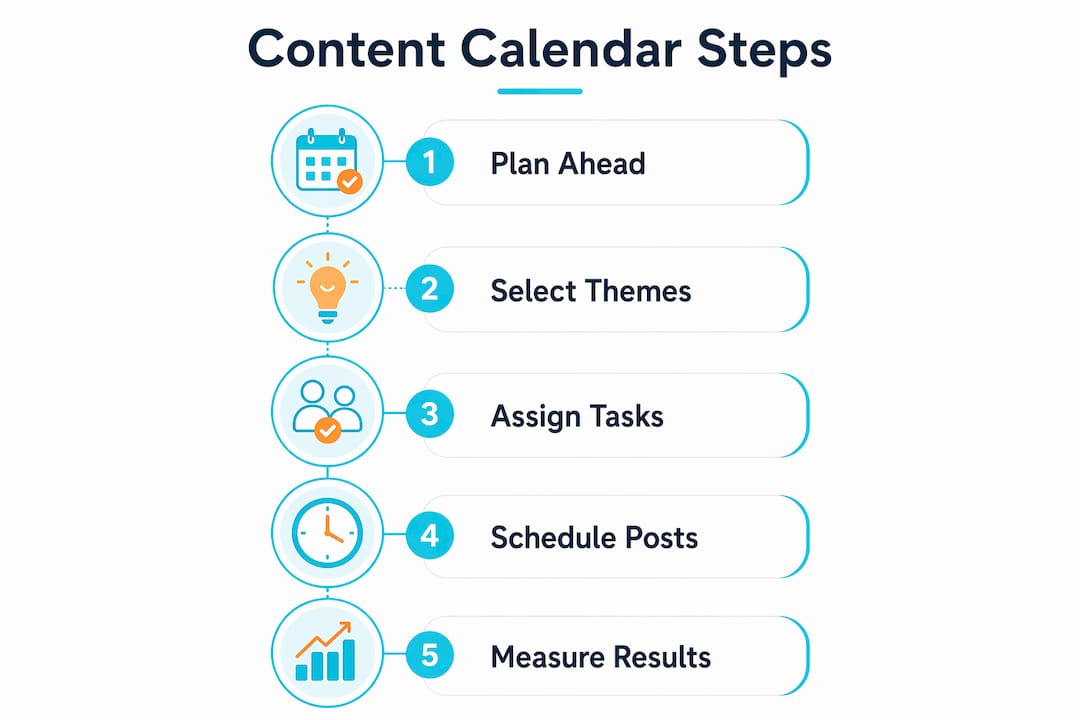
A restaurant content calendar needs five core elements to function: key dates, campaign themes, content types, assigned responsibilities, and publishing deadlines. Skip any one of these and the calendar becomes a wish list instead of a working plan.

Key dates include national food holidays (National Taco Day, Valentine’s Day, Mother’s Day), your own recurring events, and local community moments. Campaign themes give each week or month a narrative thread so your posts feel connected rather than random. Content types define the format: Instagram Reels, Facebook posts, email blasts, blog articles, or Google Business updates.
The right tools make execution fast. Here is a comparison of the most common options:
| Tool | Best for | Key feature | Limitation |
|---|---|---|---|
| Google Calendar | Small teams, free setup | Shared access, color coding | No post scheduling |
| Trello | Visual planners | Drag-and-drop card system | No native social publishing |
| Later | Instagram-first restaurants | Visual grid preview, auto-publish | Limited analytics on free plan |
| Hootsuite | Multi-platform operators | Bulk scheduling, analytics dashboard | Higher monthly cost |
| Meta Business Suite | Facebook and Instagram focus | Free, direct publishing | Meta platforms only |
Automated scheduling tools enable flexible content swaps and last-minute changes without disrupting the overall calendar flow. That matters on a Friday when a dish sells out and you need to pull a post fast.
Pro Tip: Build a content bank of 20–30 evergreen posts (chef quotes, behind-the-scenes kitchen clips, five-star review screenshots) so you always have ready-to-publish content when a planned post falls through.
How to structure your restaurant marketing calendar for consistency
Planning 4–6 weeks in advance is the standard for professional content preparation. That window gives you time to shoot photos, write captions, get approvals, and still leave room to react to trending topics or a surprise local event.
The most effective restaurant content calendars follow a four-pillar structure built around Food, People, Process, and Offers. Food content covers your dishes, specials, and seasonal menu items. People content features your staff, regulars, and community partnerships. Process content pulls back the curtain on prep, sourcing, and craft. Offers content promotes deals, events, and limited-time items.
Restaurants that maintain an 80/20 content mix — 80% engaging posts and 20% promotional posts — see stronger social media results and customer engagement. That ratio keeps your feed from feeling like a billboard.
Here is a step-by-step process to build your calendar from scratch:
- Audit your last 90 days. Identify which posts drove the most engagement, clicks, and reservations.
- Map your key dates. Pull national food holidays, your own events, and local happenings for the next 6 weeks.
- Assign content pillars to days. Example: Monday = Food, Wednesday = People, Friday = Offer or Event.
- Create or source content in batches. Shoot photos and videos in one session per week to save time.
- Write captions in advance. Schedule them using Later, Hootsuite, or Meta Business Suite.
- Leave two open slots per week. Reserve space for trending content, real-time moments, or last-minute specials.
- Review and adjust every two weeks. Check what worked and shift your plan accordingly.
Pro Tip: Assign one person as the calendar owner. When everyone is responsible, no one is. A single point of accountability prevents missed posts and content gaps.
Layering automation onto your calendar multiplies its impact. Post-visit follow-ups, loyalty notifications, and win-back sequences keep guests engaged between visits without requiring daily manual effort.
How to use event marketing for restaurants inside your content calendar
Events are the fastest way to turn a slow Tuesday into a revenue night. The key is building event promotion directly into your content calendar so the marketing starts early and builds momentum.
Weekly trivia nights can increase Tuesday covers by 42%, turning what is typically a dead night into a consistent revenue stream. Wine dinners generate 2.8 times higher check averages compared to regular service. Live music, chef’s table dinners, and themed seasonal nights all drive similar lifts. Event marketing can lift check averages by 35% when paired with a consistent promotional calendar.
Here is how to time your event content inside the calendar:
- 6 weeks out: Announce the event on social media and email. Create a dedicated event post with date, time, and a clear call to action.
- 4 weeks out: Release VIP early-access tickets to your loyalty list or email subscribers.
- 2 weeks out: Post countdown content, behind-the-scenes prep, and social proof from past events.
- 1 week out: Push urgency posts. Highlight limited seats remaining.
- Day of: Post real-time content. Stories, Reels, and live updates drive walk-in traffic.
- Day after: Share recap content. Photos, guest reactions, and highlights build anticipation for the next event.
Scarcity marketing works. VIP early access to event tickets results in an 82% sell-through rate before public sales even begin. Compare that to standard public promotion and the difference is significant.
Dedicated event microsites with RSVP widgets and countdown timers convert up to 4 times better than a standard link-in-bio post. If you are running ticketed events, a microsite is not optional. For deeper tactics on filling private dining rooms and catering packages, the event marketing strategies at Ionhospitality go further into the playbook.
| Event type | Revenue benefit | Promotion start | Key tactic |
|---|---|---|---|
| Weekly trivia night | 42% cover increase on slow nights | 2 weeks out | Day-of-week consistency builds habit |
| Wine dinner | 2.8x higher check average | 4–6 weeks out | VIP early access, limited seats |
| Live music night | Strong walk-in and bar traffic | 2–3 weeks out | Reel previews of the artist |
| Seasonal tasting menu | Premium pricing, high shareability | 4–6 weeks out | Countdown posts, food photography |
How to measure your content calendar performance and improve it
Tracking the right metrics tells you what to keep, what to cut, and where to double down. Social media engagement, online orders, and loyalty program sign-ups are the three core metrics that indicate whether your content strategy is working.
Set up a simple tracking sheet alongside your calendar. Log each post’s reach, engagement rate, link clicks, and any direct revenue tied to a promotion. Review this data every two weeks, not monthly. Two-week cycles let you catch problems fast and adjust before a full month of underperforming content goes out.
Here is a practical performance checklist to run at every review:
- ✅ Which content pillar drove the most engagement this period?
- ✅ Did event-related posts outperform standard food content?
- ✅ What day and time generated the highest reach?
- ✅ Did promotional posts (the 20%) drive measurable clicks or orders?
- ✅ Are follower counts and email list sizes growing week over week?
- ✅ Which post format (Reel, static image, Story, carousel) performed best?
A/B testing is underused in restaurant marketing. Try posting the same dish at two different times on two consecutive weeks and compare reach. Test a Reel against a static photo for the same promotion. Small tests compound into major improvements over a quarter.
Pro Tip: Use Meta Business Suite’s built-in analytics for free. It shows post reach, engagement, and audience demographics without paying for a third-party tool. Start there before investing in paid analytics platforms.
Common pitfalls to avoid: posting without a caption strategy, ignoring comments and DMs after publishing, and skipping the review cycle when things get busy. Consistency in tracking is as important as consistency in posting. For more on content strategies that drive bookings, Ionhospitality has a full breakdown of what works across different restaurant types.
Key Takeaways
A restaurant content calendar built on the four-pillar system, an 80/20 content mix, and integrated event marketing is the most reliable way to grow consistent customer engagement and revenue.
| Point | Details |
|---|---|
| Plan 4–6 weeks ahead | Advance planning gives you time to create quality content and react to trends. |
| Use the four-pillar system | Organize posts around Food, People, Process, and Offers for a balanced feed. |
| Integrate event marketing | Promote events 6 weeks out and use VIP early access to hit 82% sell-through. |
| Follow the 80/20 rule | Keep 80% of posts engaging and community-focused, 20% promotional. |
| Track and adjust every two weeks | Review engagement, orders, and event attendance to refine your calendar fast. |
What I’ve learned from building restaurant content calendars that actually work
Most restaurant owners I talk to think their content problem is a creativity problem. It is not. It is a systems problem. The restaurants that consistently fill seats and sell out events are not the ones with the most creative posts. They are the ones that show up every single week without fail.
Consistency beats creativity every time. A mediocre post published on schedule outperforms a brilliant post that never goes live because someone was too busy to write the caption. The calendar is the system that makes consistency possible.
The 4–6 week planning window changed everything for the teams I have worked with. When you plan that far ahead, content stops feeling like a daily emergency. You shoot photos on Tuesday, schedule posts on Wednesday, and spend the rest of the week actually running your restaurant.
The biggest unlock I have seen is combining content with event marketing. A restaurant that runs trivia every Tuesday and promotes it properly through a content calendar does not just fill that one night. It trains guests to think of the restaurant as a destination, not just a place to eat. That shift in perception is worth more than any single viral post.
Start with one month. Build the calendar, follow the pillars, schedule the posts, and track the results. Then do it again. The compounding effect of a consistent content operation is real, and it shows up in your reservation numbers within 90 days.
— Doug
How Ionhospitality builds and runs your restaurant content calendar
Running a content calendar while managing a full restaurant operation is a real challenge. Ionhospitality handles the entire content and advertising system for you, from planning and scheduling to paid social media campaigns that drive reservations, online orders, and private event bookings.
Ionhospitality’s team builds your social media advertising strategy around your menu, events, and revenue goals. No commissions, no guesswork, and no content gaps. If you want to see exactly how this works for your restaurant, book a discovery call and get a clear picture of what a done-for-you content calendar looks like in practice.
FAQ
What is a restaurant content calendar?
A restaurant content calendar is a planning tool that schedules social media posts, promotions, and event announcements across specific dates and channels. It replaces reactive, last-minute posting with a consistent, planned content system.
How far in advance should I plan restaurant content?
Plan your content 4–6 weeks in advance for optimal preparation and flexibility. That window gives you time to create quality content while leaving room to react to trends or unexpected moments.
What is the best content mix for a restaurant social media calendar?
The most effective mix is 80% engaging or community-building content and 20% promotional content. This ratio keeps your audience interested without making your feed feel like a constant sales pitch.
How do I use events in my restaurant marketing calendar?
Start promoting events 6 weeks out and use VIP early-access offers for your loyalty list. Scarcity tactics like limited seats and countdown posts drive urgency and can push sell-through rates to 82% before public sales open.
Which tools work best for managing a restaurant content calendar?
Meta Business Suite works well for Facebook and Instagram at no cost. Later and Hootsuite add multi-platform scheduling and analytics. Trello works for visual planning if you prefer a board-based system over a traditional calendar view.

Add a Comment