
TL;DR:
- Paid social ads reach up to 75% of local diners, significantly outperforming organic posts.
- Essential tools include Facebook Business Manager, Meta Pixel, and targeted geolocation strategies.
- Consistent creative testing and audience targeting key to maximizing bookings and return on ad spend.
You post consistently on Instagram. You run a few organic promotions. Yet your tables sit half-empty on Tuesday nights, and your private dining room is wide open most weekends. Sound familiar? Organic social posts reach only 5% of your local audience, while targeted paid ads can reach 75% or more of the diners right in your zip code. Paid social ads convert at up to 12%, filling tables and booking events faster than any flyer or word-of-mouth campaign. This guide walks you through every step, from setup to ROI, so you can run social media ads that actually work for your restaurant.
Table of Contents
- What you need before launching your first restaurant ad
- Step-by-step: How to create and launch your first ad
- How to target the right audience for bookings and events
- How to measure results: ROI, benchmarks, and what to expect
- Troubleshooting and advanced tips from the pros
- Expert perspective: What most restaurant owners miss about social ads
- Turn your knowledge into new guests and bookings
- Frequently asked questions
Key Takeaways
| Point | Details |
|---|---|
| Start with the right setup | Install tracking, link accounts, and set a realistic budget before launching ads. |
| Target high-value audiences | Use geo-targeting and lookalike audiences to reach diners most likely to book. |
| Pick proven ad formats | Carousel and event ads with real photos convert restaurant audiences best. |
| Measure and optimize | Track ROI, bookings, and key metrics to continually improve your ad performance. |
| Refresh and adapt | Update creatives weekly and blend paid ads with authentic organic content for lasting impact. |
What you need before launching your first restaurant ad
Before you spend a single dollar on ads, you need the right foundation. Skipping this step is one of the most common reasons restaurant owners waste money on campaigns that go nowhere. Think of it like prepping your mise en place before service. If the tools aren’t ready, the whole operation breaks down.
Here’s what you need in place:
- ✅ Facebook Business Manager account connected to your restaurant’s Facebook Page
- ✅ Instagram profile linked to your Business Manager
- ✅ Meta Pixel installed on your website to track reservations and event form submissions
- ✅ Restaurant location verified inside Business Manager
- ✅ Payment method added and ad account active
The Meta Pixel is the most important piece. It tracks what visitors do after clicking your ad, including booking a table or filling out a private event inquiry form. Without it, you’re flying blind. You can explore setting up restaurant ad accounts to get the technical side handled correctly from day one.
As outlined in social ad setup details, create Facebook Business Manager, verify location, connect Instagram, install Meta Pixel for tracking before you ever touch a campaign.
For website tracking integration, make sure your reservation or booking page fires a Pixel event on confirmation. That’s how you prove ROI.
| Tool | Why you need it | Minimum setup time |
|---|---|---|
| Facebook Business Manager | Manages all ads and pages | 30 minutes |
| Meta Pixel | Tracks bookings and conversions | 1 hour |
| Instagram Business Profile | Runs Instagram placements | 15 minutes |
| Ad creative assets | Images and copy for campaigns | 2 to 4 hours |
| Daily budget | Funds your campaigns | $15 to $30/day recommended |
For geographic targeting, start with a 1 to 3 mile radius in urban areas or 5 to 7 miles in suburban markets. Tight targeting keeps your budget focused on people who can actually walk through your door.
Pro Tip: Swap out your ad images every week. Ad fatigue sets in fast on social platforms, and fresh creative keeps your click-through rate strong.
Step-by-step: How to create and launch your first ad
With your tools in place, here are the exact steps to get your campaign active and attracting diners.
- Choose your campaign objective. For filling tables, use Traffic or Conversions. For private events, use Lead Generation or Event Responses.
- Set your geographic target. Drop a pin on your restaurant and set a 1 to 5 mile radius depending on your market density.
- Layer in audience interests. Target people who follow food pages, use delivery apps, or have shown interest in dining out and local events.
- Pick your ad format. Use carousels to showcase your menu, single-image or video ads for event bookings, and Stories for quick-reach promotions.
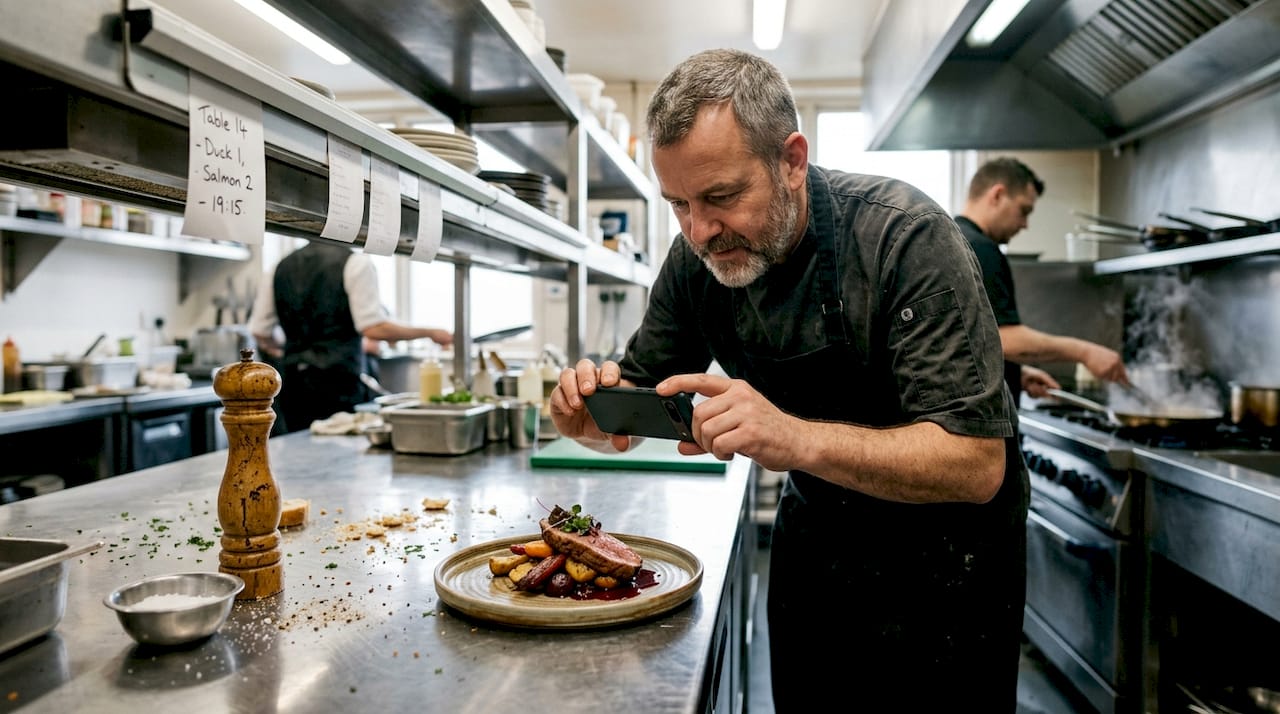
- Upload 3 to 5 creative images per ad set. Real food photography outperforms stock images every single time.
- Set your daily budget. Start at $15 to $30 per day and scale what works.
- Schedule your ads. Run them during lunch (11am to 1pm) and dinner (4pm to 8pm) windows for maximum relevance.
- Review and publish. Double-check your Pixel is firing and your landing page is live before hitting go.
As the step-by-step mechanics confirm, choose objectives, upload creatives, select geo-target, pick a daily budget, and schedule ads to match meal peaks.
For ad formats, carousels and event ads outperform single-image ads, especially for event bookings. Check out Instagram ad creative ideas for scroll-stopping visuals that convert.
| Platform | Best for | Avg. CPC | Event booking strength |
|---|---|---|---|
| Meta (FB/IG) | Local diners, events | $0.85 | ⭐⭐⭐⭐⭐ |
| Google Ads | High-intent search | $2.50+ | ⭐⭐⭐ |
| TikTok | Brand awareness, younger crowd | $1.00 | ⭐⭐ |
See ad type comparisons for a deeper breakdown across platforms. For retargeting people who visited your site but didn’t book, follow these retargeting setup tips to bring them back.
Pro Tip: Never use stock food photos in your ads. Pull out your phone and shoot your actual dishes in natural light. Real photos build trust and drive 2 to 3x more clicks.
How to target the right audience for bookings and events
Now that your ad is live, let’s zero in on the audiences that drive bookings, from local diners to event planners.
Targeting is where most restaurant owners leave money on the table. They set a broad audience, cross their fingers, and wonder why results are weak. Here’s how to do it right.
For filling tables:
- 📍 Set a tight geographic radius (1 to 3 miles urban, up to 7 miles suburban)
- 🍽️ Target interests like food delivery apps, local dining, cuisine categories matching your menu
- 🏠 Add “new movers” as a behavior layer to reach people actively exploring local restaurants
- 🔄 Retarget website visitors and people who engaged with your social posts but didn’t convert
For private events and corporate bookings:
- 🎉 Use Facebook Events to promote your private dining space directly
- 📹 Run short video walkthroughs of your event space as ads
- 💼 Use LinkedIn ads for corporate event planners in your area
- 📧 Upload your reservation or email list to build a lookalike audience of high-value diners
Local geo-targeting, lookalike audiences, and foodie interests drive 51% more bookings compared to untargeted campaigns. Boosting high-performing organic posts with paid spend is also a fast way to expand reach without building a new campaign from scratch. Explore local online presence tactics to strengthen your foundation alongside paid ads.
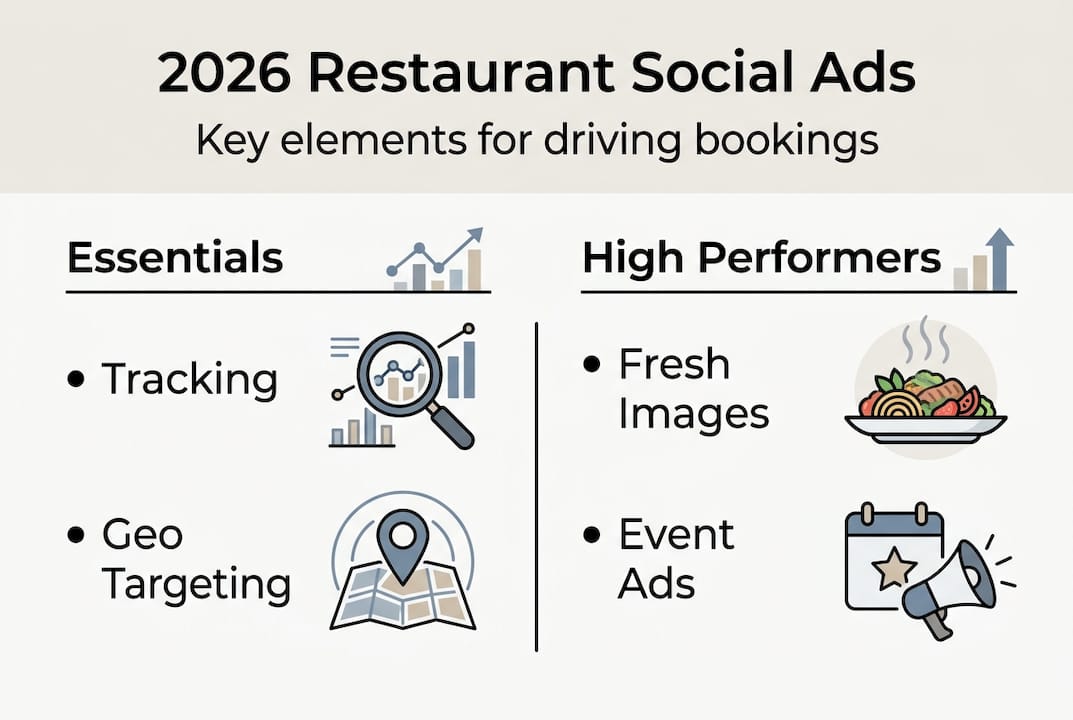
For event booking strategies that go beyond the basics, combining paid ads with strong creative audience content makes a real difference in conversion rates.
Pro Tip: Exclude people who already follow your page and existing customers from cold audience campaigns. You’ll protect your budget and keep your cost per acquisition low.
How to measure results: ROI, benchmarks, and what to expect
Once your ads are running and reaching the right diners, it’s time to measure if your spend is delivering the right ROI.
Here’s how to read your Meta Ads Manager dashboard:
- Go to Ads Manager and select your active campaign.
- Check Reach and Impressions to confirm your ad is being seen locally.
- Review CTR (click-through rate). A healthy benchmark is 1.4% to 1.6% for restaurant ads.
- Look at CPC (cost per click). You should be paying around $0.85 per click on Meta.
- Check Conversions. This is where your Pixel data shows reservations and event form fills.
- Calculate ROAS (return on ad spend). Divide revenue attributed to ads by your ad spend.
“Organic alone reaches 5% of your local audience. Paid ads reach up to 75%. The math isn’t close.”
According to empirical benchmarks, Facebook/Instagram ROAS is 6.9x for restaurants, with a CPA of $14.20 and a reservation conversion rate of 4% to 12%. Google Ads cost more per click and deliver lower conversion rates for most local restaurants.
| Metric | Strong performance | Needs attention |
|---|---|---|
| CTR | Above 1.4% | Below 0.8% |
| CPC | Below $1.00 | Above $2.00 |
| Conversion rate | 4% to 12% | Below 2% |
| ROAS | 6x or higher | Below 3x |
| Cost per booking | Under $15 | Above $30 |
For a deeper look at performance data, check the restaurant ads benchmarks resource. If your numbers are missing targets, start with a creative refresh before touching your budget. See the advertising ROI deep dive and proven ad campaign examples to see what winning campaigns look like in practice.
Troubleshooting and advanced tips from the pros
Even the best campaign plans hit snags. Here’s how to avoid the mistakes that waste your ad budget.
The most common problems we see with restaurant ad campaigns:
- ❌ No Meta Pixel installed — you can’t track what’s working
- ❌ Audience too broad — targeting a 25-mile radius when your diners live 2 miles away
- ❌ Stock images — generic food photos kill engagement and trust
- ❌ Inconsistent posting — organic content gaps weaken your overall social presence
- ❌ Ignoring comments — unanswered comments signal low engagement to the algorithm
- ❌ No mobile optimization — the majority of social traffic is mobile, and slow or broken landing pages kill conversions
“Restaurants that use professional food photos in their ads see 2 to 3x higher click-through rates compared to stock imagery.”
As edge cases and expert nuances confirm, ad fatigue needs weekly refresh, broad targeting hurts performance, and mobile optimization is non-negotiable. Rotate 3 to 5 images per ad set every week to keep things fresh.
For social content tips that support your paid campaigns, consistent organic posting between ad runs keeps your audience warm. Check restaurant marketing mistakes to see the full list of pitfalls to sidestep.
Pro Tip: Set up custom conversions by location inside Meta Ads Manager if you run multiple locations. This tells you exactly which location is driving the most bookings so you can allocate budget where it performs best.
Expert perspective: What most restaurant owners miss about social ads
After working with dozens of restaurants across the U.S., here’s what separates the ones that grow from the ones that spin their wheels.
Most owners treat paid ads like a light switch. They run a campaign, check the likes, and call it a win or a loss. That’s the wrong lens entirely. Likes don’t pay your rent. Reservations do.
The restaurants that consistently grow combine authentic organic content with well-targeted paid ads. Organic-only reach is just 5%, while ads quickly get 75%+ local reach. But paid ads without strong organic content feel hollow to your audience. The blend is what builds trust and drives repeat visits.
You also don’t need a massive agency or a $5,000 monthly budget to win. What you need is rapid creative testing. Try five images, see what converts, double down on the winner. That simple loop beats any fancy strategy deck.
Invest your attention in metrics that matter: reservations booked, event inquiries, and cost per acquisition. Not impressions. Not follower counts. Real business outcomes. Behind-the-scenes videos, real staff moments, and authentic dish shots consistently outperform polished stock content. Build your restaurant brand awareness strategies around what’s real, and let paid ads amplify it.
Turn your knowledge into new guests and bookings
You now have the full playbook: the setup, the targeting, the creative strategy, and the metrics that matter. The next step is putting it into action without spending months figuring it out on your own.
At ION Hospitality, we specialize in social media advertising services built exclusively for restaurants. We handle everything from Meta Pixel setup and creative production to retargeting and event booking campaigns, with zero commissions on your bookings. Explore proven campaigns for restaurants to see real results, then book a discovery call to get a strategy built around your menu, your market, and your goals. More tables filled. More events booked. Done for you.
Frequently asked questions
What social media platform is best for restaurant ads?
Meta platforms (Facebook and Instagram) offer the best local targeting and returns for U.S. restaurants. As confirmed by step-by-step mechanics, prioritize Meta for local targeting and events with at least 60% of your ad budget.
How much should a restaurant budget for social media ads per month?
A typical U.S. restaurant should start with $450 to $900 per month for Meta ads and adjust based on bookings. The recommended Meta ad budget is $15 to $30 per day to generate meaningful results.
How do I track reservations and event bookings from social ads?
Install the Meta Pixel and set up custom conversions in your ad manager for accurate tracking. Meta Pixel setup is required to track bookings and custom conversions per location.
What is the average ROI for restaurant social media ads?
Restaurants see an average 6.9x return on ad spend through Meta ads when campaigns are properly optimized with strong creative and tight targeting.
How often should restaurant ads be refreshed?
Rotate ad creatives weekly with 3 to 5 images per set to prevent ad fatigue. Ad fatigue needs creative refresh weekly to maintain strong click-through rates and conversion performance.

Add a Comment