

TL;DR:
- Most restaurant websites fail due to slow load times, unsearchable PDFs, and outdated Google profiles, losing potential customers daily. Prioritizing technical performance, replacing PDFs with HTML menus, and optimizing local SEO and schema markup significantly improve visibility, bookings, and conversions. Regular site audits ensure ongoing performance and help restaurants stay competitive in AI-driven search results.
Your restaurant website is either working for you around the clock or quietly losing you customers every single day. Most restaurant websites fall into a predictable set of traps: PDFs no one can read on a phone, booking forms that feel like tax returns, and Google listings that haven’t been touched in two years. This restaurant website improvement checklist cuts through all of that. You’ll get a clear, prioritized set of fixes covering technical performance, content structure, local SEO, and schema markup so you can stop guessing and start converting more visitors into paying guests.
Table of Contents
- Key takeaways
- 1. The restaurant website improvement checklist: start with technical performance
- 2. Replace PDF menus with HTML menus
- 3. Reservation and online ordering flows that actually convert
- 4. Local SEO and your Google Business Profile
- 5. Schema markup for rich results and AI search visibility
- 6. Content, photos, and trust signals that close the deal
- 7. Ongoing audits and quarterly performance reviews
- My honest take on restaurant website improvements
- Ready to stop guessing and start growing?
- FAQ
Key takeaways
| Point | Details |
|---|---|
| Fix technical performance first | Slow load times and poor Core Web Vitals tank your rankings before customers even see your menu. |
| Replace PDF menus with HTML | 77% of diners check menus online, and HTML menus are searchable, mobile-friendly, and conversion-ready. |
| Complete your Google Business Profile | Complete profiles get 7x more clicks, making it one of the highest-return tasks on this checklist. |
| Add schema markup for AI visibility | Restaurant and Menu schema gets your dishes and hours into AI-generated answers and rich search results. |
| Audit your site every quarter | Quarterly reviews catch regressions, broken links, and outdated info before they cost you bookings. |
1. The restaurant website improvement checklist: start with technical performance
Before you touch your menu photos or rewrite your “About Us” page, you need a fast, technically sound website. Speed is the foundation. Everything else built on a slow site performs worse than it should.
Here is what to check and fix:
- LCP (Largest Contentful Paint): Target under 2.0 seconds. LCP above 2.0 seconds correlates directly with 2 to 4 position drops in search rankings.
- INP (Interaction to Next Paint): Keep this under 200ms. High INP means your site feels sluggish to tap or click on mobile.
- CLS (Cumulative Layout Shift): Keep below 0.1. Layouts that jump around while loading frustrate users and increase bounce rate.
- PageSpeed score: Aim for 90 or above on mobile. Google uses this as a ranking signal.
- Render-blocking scripts: Audit your site for plugins and scripts that load synchronously. Load them asynchronously or defer them.
- CSS and JS minification: Compress your stylesheets and scripts. Enable browser caching so repeat visitors load your pages faster.
- Mobile-first design: The majority of your guests are searching from their phones. Your site needs to be designed for that screen first, not as an afterthought.
Pro Tip: Run your restaurant site through Google PageSpeed Insights and Google Search Console every month. These free tools tell you exactly which files are slowing you down and which pages have Core Web Vitals issues.
Technical site performance is the single highest-leverage fix on this list because it unlocks every other improvement you make. A faster site ranks better, converts better, and keeps guests on the page long enough to actually book a table.
2. Replace PDF menus with HTML menus
This one change alone has moved the needle for more restaurant clients than almost anything else. If your menu lives in a PDF file, you are invisible to Google and nearly unusable on a phone.
77% of diners check menus online before deciding where to eat. If yours is a PDF, it does not index in search results, it requires pinching and zooming on mobile, and it cannot be updated without re-uploading a new file every time you change a price. That is a conversion killer.
Your HTML menu should include:
- Clear category structure: Appetizers, entrees, desserts, drinks. Make it easy to scan.
- Pricing on every item: Guests who cannot find prices bounce fast.
- Dietary flags: Vegan, gluten-free, nut-free. These also help you appear in filtered searches.
- Professional photos: Not every dish needs one, but your top sellers should have a scroll-stopping image next to them.
- Consistent naming: Whatever you call a dish on your website must match your Google Business Profile and your schema markup. Menu data consistency across all platforms is critical. Mismatches erode trust with AI and search systems.
Pro Tip: Build your menu as a native HTML page, not a third-party embed that loads slowly. Style it to match your brand, and link to it prominently from your navigation and your Google Business Profile.
3. Reservation and online ordering flows that actually convert
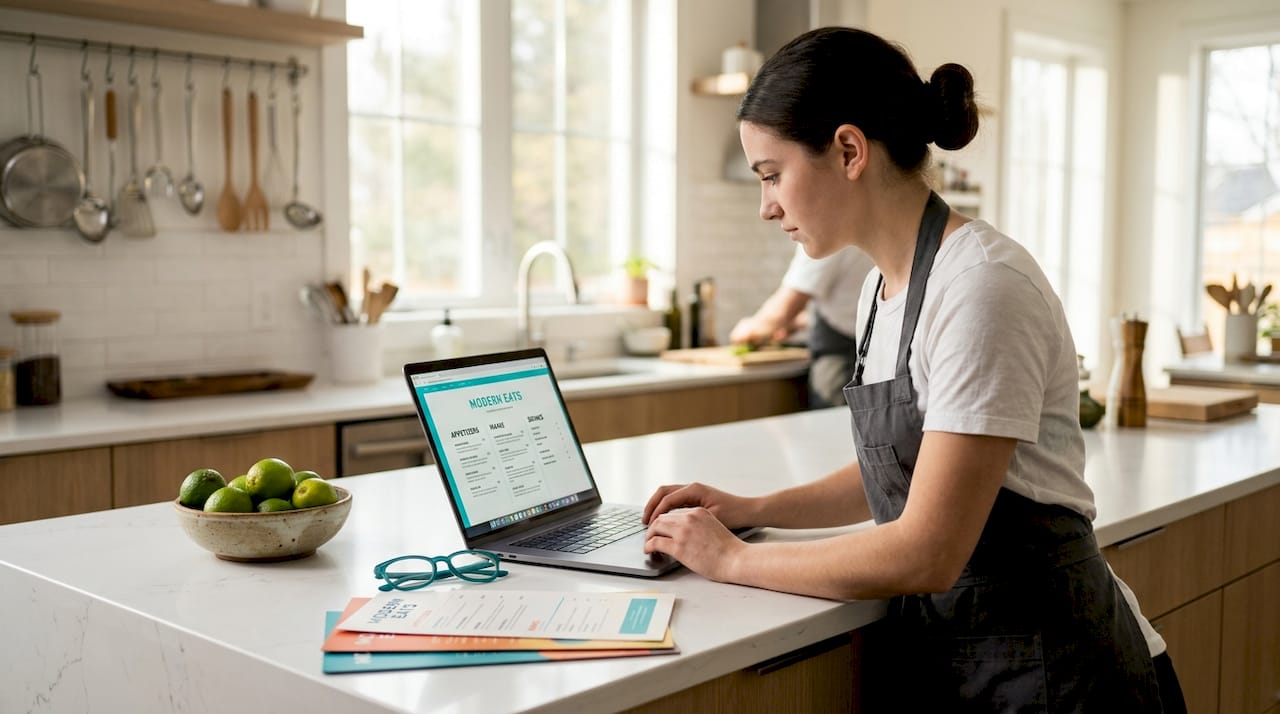
A beautiful website that makes it hard to book a table is just an expensive brochure. Your reservation and ordering flows need to be fast, simple, and built for mobile thumbs.
One-click booking options that take under 30 seconds to complete increase reservation rates significantly. That means fewer form fields, not more. Collect the name, party size, date, time, and phone number. That is it upfront. Use progressive disclosure to ask for additional details after the initial confirmation so you reduce drop-off on mobile.
For online ordering, do not bury it three clicks deep. Embed your ordering system directly on your site. Commission-free direct online ordering requires proper configuration, including enabling the correct modules, setting up auto-firing to your POS device, and confirming menu visibility settings. Get that setup right from the start.
Your restaurant online ordering checklist should include:
- Direct “Order Now” and “Reserve a Table” buttons visible above the fold on every page
- Mobile-first booking flow with large tap targets and minimal fields
- Confirmation emails or texts sent automatically after every booking or order
- Clear hours, estimated wait times, and pickup or delivery radius information
Check out website must-haves for bookings for a deeper breakdown of the features that move the needle most.
4. Local SEO and your Google Business Profile
Your Google Business Profile is not a set-it-and-forget-it task. It is a living part of your restaurant’s online presence, and it directly drives walk-ins, calls, and website clicks.
Complete Google Business Profiles get about 7x more clicks than incomplete listings. That gap is enormous. Here is what “complete” actually means:
- Claimed and verified profile with accurate NAP (name, address, phone number)
- Updated hours including holidays and special events
- At least 20 high-quality photos, refreshed regularly with new dishes and events
- Menu link pointing directly to your HTML menu page, not your homepage
- Reservation or order link pointing to the specific booking or ordering page, not a generic page. Avoid linking to your homepage when users are trying to start a specific action.
- Correct categories and attributes (cuisine type, outdoor seating, delivery, etc.)
- Regular Google Posts with seasonal specials, events, and promotions
- Consistent responses to reviews, both positive and negative
For multi-location restaurants, each location needs its own dedicated Google Business Profile and a unique location page on your website with tailored content. Do not use the same text across all locations.
Improving your restaurant online presence starts with locking down your local listings before you spend a dollar on advertising.
5. Schema markup for rich results and AI search visibility
Schema markup is the part of your restaurant SEO checklist that most owners skip entirely. That is a mistake, especially heading into 2026 when AI-generated search results are pulling structured data directly from restaurant sites.
Structured data like Restaurant and Menu schema significantly improves your visibility in rich search results and AI-generated answers. Here is what to implement:
- Restaurant schema: Include name, address, hours, geo coordinates, cuisine type, price range, and service options (dine-in, takeout, delivery).
- Menu and MenuItem schema: Add each dish with name, description, price, and dietary flags. This data feeds into voice assistants and AI search responses.
- FAQPage schema: Add this to your homepage, menu page, and location pages. Frequently updated FAQs covering parking, dietary options, and hours improve AI search results and answer common diner questions before they even need to call you.
- BreadcrumbList schema: Helps search engines understand your site structure and can generate clean breadcrumb links in search results.
| Schema type | Where to add it | Primary benefit |
|---|---|---|
| Restaurant | Homepage, location pages | Rich results with hours, address, ratings |
| Menu / MenuItem | Menu page | Dish info in AI and voice search answers |
| FAQPage | Homepage, menu, location pages | Featured snippets and AI answer visibility |
| BreadcrumbList | All pages | Cleaner site hierarchy in search results |
After implementing schema, validate everything with Google’s Rich Results Test. Retest whenever you change your menu, hours, or services.
6. Content, photos, and trust signals that close the deal
Once someone lands on your site, you have a few seconds to convince them you are worth their time and money. That job falls to your content, your photos, and your trust signals.
Your homepage needs to answer three questions immediately: What kind of food do you serve? Where are you located? How do I book or order? If a visitor has to scroll or click to find any of those answers, you are losing people.
Photos are your single most powerful trust signal. Dark, blurry images of food hurt you. Bright, professional shots of your signature dishes, your dining room, and your team build confidence before a single word is read. For a restaurant SEO guide 2026 perspective, Google also uses image content as a relevance signal when your images are properly named and tagged with descriptive alt text.
Your site should also display:
- Real customer reviews or star ratings pulled from Google or a review platform
- Press mentions or awards if you have them
- A clear “About” story that reflects your restaurant’s personality
- Up-to-date event and private dining information if you offer it
Think of your website as your best front-of-house host. It should make guests feel welcome and confident the moment they arrive.
7. Ongoing audits and quarterly performance reviews
Launching improvements is only half the job. The other half is staying on top of them. Menus change. Hours change. Google updates its algorithms. A site that was performing well six months ago can quietly slide without you noticing.
Quarterly audits help you catch regressions and optimize the revenue-critical elements of your site before problems compound. Build a simple recurring checklist for yourself:
- Retest Core Web Vitals in Google Search Console
- Confirm all hours, menu pricing, and contact info are current on your website and GBP
- Check for broken links, especially on your reservation and order pages
- Review your top-performing pages in Google Analytics and double down on what is working
- Update your FAQ schema and GBP posts with any seasonal or event changes
- Revalidate your schema with the Rich Results Test after any updates
Restaurant website optimization tips are only valuable if you implement them consistently. Build this review into your monthly operations calendar and assign it to someone with clear ownership. Why SEO matters long-term becomes clear when you see what consistent maintenance does to your rankings over 12 months.
My honest take on restaurant website improvements
I’ve worked with enough restaurant owners to know the pattern: they spend months picking a website template or agonizing over font choices, then launch a site that looks decent but books almost no one.
What actually moves the needle? Site speed and HTML menus. Every single time. I’ve seen restaurants add 30 to 40 more reservation requests per month just by switching from a PDF menu to an HTML page and getting their LCP under 2 seconds. Those are not dramatic redesigns. They are quiet, technical fixes that most people overlook.
The underappreciated one is Google Business Profile. Most owners set it up once and never touch it. The restaurants I’ve seen grow the fastest treat their GBP like a social media account. They post weekly, update their photos monthly, and respond to every review. It compounds over time in a way that paid ads simply do not.
Schema markup used to feel like a “nice to have.” Not anymore. I’ve watched AI-generated search results start surfacing dish names, dietary info, and hours directly from restaurant schema. If your schema is wrong or missing, you are handing that traffic to someone else.
My advice: stop treating your website like a brochure and start treating it like a sales machine. Quarterly website grading is not overkill. It is what separates the restaurants that grow from the ones that wonder why their great food isn’t enough to fill seats.
— Doug
Ready to stop guessing and start growing?
You have the checklist. Now you need the execution. At Ionhospitality, we specialize in helping restaurants get more customers, fill more seats, and sell more private events without giving up a single commission dollar.
Whether you need a high-converting restaurant website built from the ground up or want to pair your site improvements with targeted social media advertising that brings real guests through the door, we handle it all for you. Book a free discovery call today and let us show you exactly where your website is leaving money on the table and what we’ll do to fix it.
FAQ
What should I fix first on my restaurant website?
Start with technical performance. Slow LCP and high INP cause ranking drops before customers even find you, so fixing site speed unlocks every other improvement on your checklist.
Why are PDF menus bad for restaurant websites?
PDF menus are invisible to search engines and nearly impossible to read on mobile. 77% of diners check menus online, and an HTML menu gives you better SEO, easier updates, and a far better user experience.
How often should I update my Google Business Profile?
At a minimum, review it monthly. Update photos regularly, post about specials and events weekly, and respond to reviews consistently. Complete and active profiles earn roughly 7x more clicks than neglected ones.
What is schema markup and does my restaurant need it?
Schema markup is structured data that tells search engines and AI assistants exactly what your restaurant offers. Restaurant and Menu schema gets your hours, dishes, and info into rich results and voice search answers. Yes, you need it.
How often should I audit my restaurant website?
Run a full audit at least once per quarter. Check Core Web Vitals, confirm all info is current, test your booking and order flows, and revalidate your schema. Regular quarterly reviews catch problems before they cost you rankings and reservations.

Add a Comment