
TL;DR:
- Your restaurant’s website is either filling seats or sending customers to competitors, making speed and ease of booking critical. Integrating direct reservation tools, optimized menus, and fast-loading mobile sites can significantly increase conversions and online visibility. Focusing on local SEO, high-quality photos, and real-time updates further enhances customer trust and drives more bookings.
Your restaurant website is doing one of two things right now: it’s filling seats, or it’s sending customers straight to your competition. Visitors judge your spot in under five seconds. If your site loads slowly, buries your phone number, or makes reservations a hassle, they bounce and never look back. Fast loading speed under 3 seconds on mobile is table stakes in 2026, not a bonus feature. This checklist breaks down exactly what your site needs to turn curious browsers into confirmed bookings and loyal regulars.
Table of Contents
- Essential booking and ordering features
- High-impact contact details and menu design
- Mobile performance and site speed optimization
- Local SEO and Google integration essentials
- Photos, events, and promotion features
- Comparison: Which must-haves move the needle fastest?
- Expert perspective: Own your website to maximize bookings
- How ION Hospitality helps boost your bookings
- Frequently asked questions
Key Takeaways
| Point | Details |
|---|---|
| Direct booking matters | Integrated reservation and ordering features increase conversions and let you keep the customer data. |
| Mobile usability is vital | A fast, mobile-optimized site reduces customer drop-offs and drives more bookings. |
| SEO drives visibility | Local SEO and Google integration put your restaurant on the map and bring in more traffic. |
| Good photos boost engagement | High-quality food and interior photos lead to more directions and clicks. |
| Promotion features win bookings | Event calendars and banners help highlight specials and fill seats during slow periods. |
Essential booking and ordering features
Let’s start with the feature that directly drives revenue: the ability to book a table or place an order without leaving your site.
Here’s the hard truth. Every time a customer clicks away to a third-party platform to make a reservation or order food, you risk losing them AND paying a commission. An integrated online ordering system directly on your site keeps the transaction in your hands, protects your margins, and keeps your customer data where it belongs — with you.
65% of diners prefer booking directly on a restaurant’s website over using a marketplace app. That’s not a small number. That’s most of your potential customers telling you exactly what they want.
Booking widget comparison: direct vs. third-party
| Feature | Direct integration | Third-party platform |
|---|---|---|
| Commission fees | None | 15% to 30% per order |
| Customer data access | Full ownership | Limited or none |
| Brand experience | Seamless, on-brand | Off-site, generic |
| Conversion rate | Higher (less friction) | Lower (extra steps) |
| Setup complexity | Moderate | Low |
Top tools like Toast, Square, and OpenTable all offer embedded widgets you can drop right into your site. OpenTable brings discovery traffic but charges per cover. Toast and Square let you own the full transaction with flat monthly fees. For restaurant website development, the goal is always to bring that booking journey home.
What to look for in a booking widget:
- ✅ Mobile-first design with one-tap reservation flow
- ✅ Real-time table availability
- ✅ Automated confirmation and reminder texts or emails
- ✅ Integration with your POS system
- ✅ No redirect to an external page
A prominent, mobile-optimized reservation booking widget placed above the fold on your homepage is one of the highest-converting elements you can add. Customers should never have to scroll or search to book. Make it impossible to miss.
Pro Tip: Use a mobile sticky widget so your “Reserve a Table” button follows the user as they scroll down your menu or about page. This alone can lift reservation conversions by double digits.
For more actionable online presence tips and content strategies for bookings, we’ve got you covered with deep dives on each.
High-impact contact details and menu design
Once the reservation flow is locked in, the next priority is making your site easy and reassuring to navigate. Nothing kills a booking faster than a customer who can’t find your address or phone number in under three seconds.
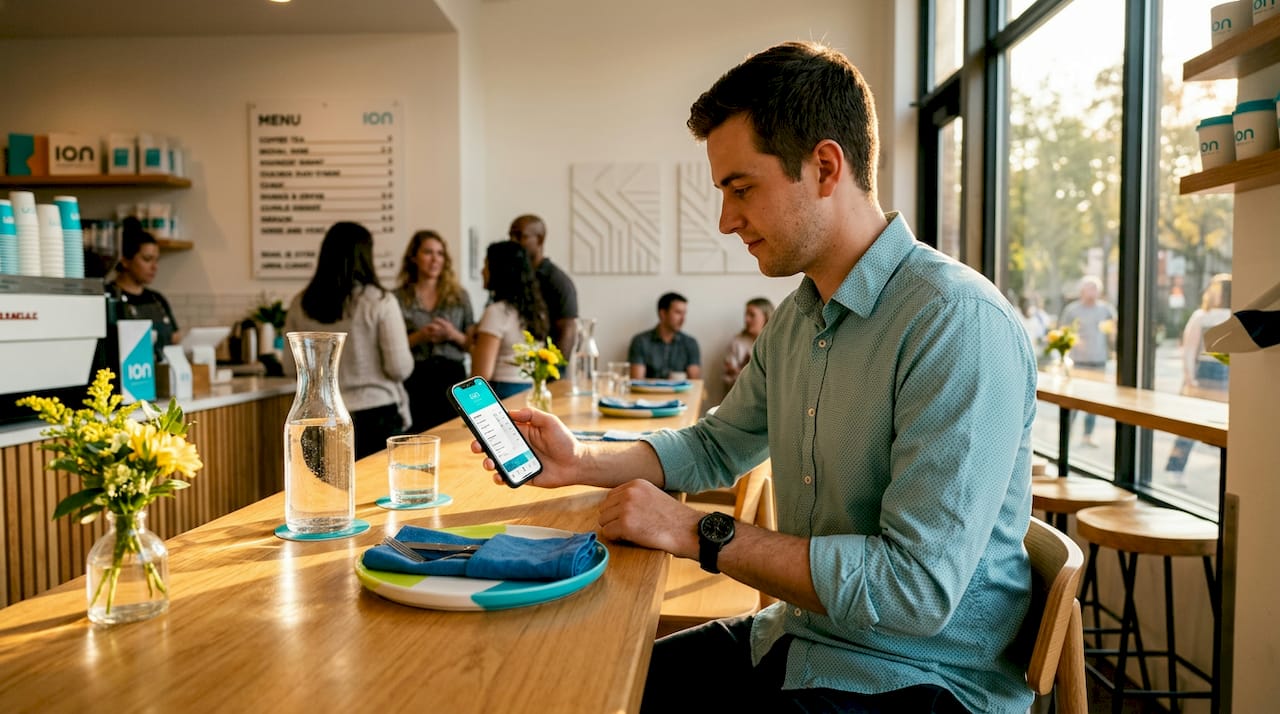
A click-to-call phone number and address in your header, sticky on mobile, is one of the simplest wins on this entire list. When someone’s on their phone searching for a place to eat, they want to call or get directions instantly. Make it happen in one tap.
Your menu is where customers make their decision. If your menu is a PDF file, change it today. PDFs don’t load well on mobile, can’t be indexed by Google, and frustrate customers who have to pinch and zoom to read your specials. A high-quality, mobile-optimized digital menu built in HTML with photos, prices, and allergen info does the opposite. It builds trust, drives engagement, and helps your SEO.
PDF vs. HTML menu: quick comparison
| Factor | PDF menu | HTML menu |
|---|---|---|
| Mobile usability | Poor (requires zoom) | Excellent (responsive) |
| SEO indexable | No | Yes |
| Update frequency | Manual upload required | Edit in real time |
| Photo support | Limited | Full photo integration |
| Allergen/filter support | None | Easily filterable |
| Page load impact | Slow | Fast |
Best practices for your digital menu:
- 📸 Add real photos of your most popular dishes
- 💲 Always show prices (hiding them creates distrust)
- 🌾 Flag allergens and dietary options clearly
- 🔄 Update it seasonally so it never looks stale
- 📱 Test it on three different mobile devices before publishing
Pro Tip: Restaurants that add high-quality food photos to their Google profile and website see 42% more direction requests and 35% more website clicks. Use those same photos in your HTML menu for maximum impact across every touchpoint.
Strengthen your menu content strategies and combine them with a solid approach to boosting your online presence to multiply results.
Mobile performance and site speed optimization
You can have the prettiest website in the world. But if it takes more than three seconds to load on a phone, most visitors will never see it.
60% of visitors abandon sites that take over 3 seconds to load. And since roughly 70% of your restaurant’s website traffic is coming from mobile devices, speed isn’t just a technical issue. It’s a revenue issue.
“A one-second delay in mobile page load time can reduce conversions by up to 20%. For restaurants, that’s real reservations and real orders walking out the door before a single word is read.”
Site speed directly impacts SEO and conversion rates, making it a double threat when ignored. Google ranks faster sites higher. Customers prefer faster sites. There’s no debate.
How to speed up your restaurant site — step by step:
- Compress all images before uploading. Use WebP format instead of JPG or PNG. Aim for under 150KB per image.
- Minimize scripts and plugins. Every unnecessary plugin slows your site. Audit your plugins and remove anything you’re not actively using.
- Use a quality host. Cheap shared hosting is one of the biggest speed killers. Choose a managed WordPress host or a platform built for performance.
- Enable browser caching. This stores parts of your site on returning visitors’ devices so pages load instantly.
- Use a Content Delivery Network (CDN). A CDN serves your site from servers closest to each visitor, cutting load time dramatically.
- Defer non-critical scripts. Let your page load first, then load extras like chat widgets and analytics in the background.
For restaurants in rural areas or markets with spotty mobile connections, go even further. Compress images to under 80KB and avoid large hero videos that auto-play on mobile. Your urban competitor might get away with a flashy video header. You need to prioritize access over aesthetics.
A well-designed website that loads fast wins on every front. Pair that with smart content and you’ve got a site that actually converts. Use tools like Google PageSpeed Insights to benchmark your score. Aim for 90 or above on mobile. If you’re under 70, treat it as an emergency.
Explore more speed and design strategy with our guide to building fast restaurant sites.
Local SEO and Google integration essentials
Site speed gets you in the door with Google. But local SEO is what actually puts you on the map, literally, when someone searches “Italian restaurant near me” at 7pm on a Friday.
Schema markup, location pages, and Google Business Profile integration are the backbone of local SEO for restaurants. Schema markup is code you add to your site that tells Google exactly what your business is: a restaurant, your cuisine type, your hours, your price range. Google uses this data to surface rich results in search, which dramatically increases click-through rates.
Structured data and rich results can make your restaurant stand out in search with star ratings, menus, and reservation links appearing directly in Google’s results page. That’s free real estate most restaurants are leaving on the table.
“Restaurants with complete Google Business Profiles are 2.7x more likely to be considered reputable by potential customers. Weekly Google Posts generate 15 to 20% more direct interactions from local searchers.”
Local SEO quick wins for your restaurant:
- 📍 Create dedicated location pages if you have multiple locations
- ⭐ Respond to every Google review, positive and negative
- 📅 Post weekly updates to your Google Business Profile (specials, events, hours)
- 🍽️ Add your full menu directly to your Google Business listing
- 🔖 Use consistent NAP (name, address, phone) across every online listing
- 🗺️ Embed a Google Map directly on your Contact page
Your restaurant SEO guide breaks this down even further. And if you’re working on overall brand awareness tips, local SEO is where you build the foundation.
Photos, events, and promotion features
People eat with their eyes before they ever walk through your door. High-quality photos are not optional in 2026. They are the difference between a customer choosing you over the restaurant next door.
Restaurants with high-quality food and interior photos on their site and Google profile see measurable results: 42% more requests for directions and 35% more clicks to their website. That data is hard to argue with.
Photo best practices for your website:
- 🍔 Shoot your top 10 dishes with natural light or a professional setup
- 🪑 Include interior shots that show your vibe: cozy, lively, upscale, casual
- 👨🍳 Behind the scenes content of your kitchen or staff builds authenticity
- 📱 Optimize every photo for mobile so it loads fast and looks sharp
- 🔄 Refresh photos seasonally to keep things current
Event calendar and promotion banners for specials and holidays are equally powerful. They give customers a reason to visit on a specific day, not just whenever. Think Valentine’s Day prix fixe, New Year’s Eve dinner, weekly trivia nights, or Sunday brunch specials. Display these prominently on your homepage.
Pro Tip: Use a homepage banner to communicate urgent updates fast. Holidays, weather-related closures, new hours, or a special pop-up event can all be communicated in real time without redesigning your site. Customers appreciate transparency, and it saves your team from answering the same phone calls all day.
For creative ideas to fill your event calendar, check out our restaurant content creation ideas.
Comparison: Which must-haves move the needle fastest?
You can’t upgrade everything at once. Here’s how each feature stacks up so you can prioritize smartly.
| Feature | Booking impact | SEO impact | Visibility impact | Difficulty |
|---|---|---|---|---|
| Booking/ordering widget | ⭐⭐⭐⭐⭐ | ⭐⭐ | ⭐⭐⭐ | Medium |
| Click-to-call + sticky header | ⭐⭐⭐⭐ | ⭐ | ⭐⭐⭐ | Low |
| HTML menu with photos | ⭐⭐⭐⭐ | ⭐⭐⭐⭐ | ⭐⭐⭐⭐ | Medium |
| Site speed optimization | ⭐⭐⭐ | ⭐⭐⭐⭐⭐ | ⭐⭐⭐⭐⭐ | High |
| Local SEO + Google integration | ⭐⭐⭐⭐ | ⭐⭐⭐⭐⭐ | ⭐⭐⭐⭐⭐ | Medium |
| Professional food photography | ⭐⭐⭐ | ⭐⭐ | ⭐⭐⭐⭐⭐ | Medium |
| Event calendar + banners | ⭐⭐⭐ | ⭐⭐ | ⭐⭐⭐⭐ | Low |
Top three upgrades for immediate results:
- Add a direct booking widget to your homepage above the fold. This is the single fastest path to more reservations without any ad spend.
- Convert your PDF menu to an HTML menu with real photos. This improves mobile usability, SEO, and customer trust simultaneously.
- Optimize your Google Business Profile with complete information, photos, and weekly posts. This costs nothing but time and has compounding returns.
Use your Google Analytics data to understand where visitors are dropping off. High bounce rates on your menu page? The PDF is killing you. Low time on site overall? Speed is probably the culprit. Let the data guide your upgrade order. For broader context, explore marketing trends for restaurants and top marketing trends shaping 2026.
Expert perspective: Own your website to maximize bookings
Here’s the thing most restaurant owners miss. Third-party platforms are great for discovery. They are terrible for conversion.
Yelp and TripAdvisor might bring eyeballs to your restaurant’s name. But by the time a customer is on those platforms, they’re also looking at your three nearest competitors, reading every negative review, and being served ads for someone else’s happy hour. You don’t control that environment. You don’t own that customer relationship. And you definitely don’t get their contact info.
Your own website is different. When a customer lands there, you’ve got their full attention. No competitor ads. No distracting reviews. Just your story, your food, and a clear path to book. Direct integrations with tools like Toast or OpenTable, embedded directly on your site, let you retain customer data, eliminate commissions, and build a relationship you actually own.
A well-built restaurant website outperforms Yelp and TripAdvisor for conversions because it removes friction. On your site, a customer can see your best photos, read your story, check tonight’s specials, and book a table in 60 seconds. On a third-party platform, they have to navigate away from distractions, and you never even get their email.
We’ve seen restaurants increase direct bookings by over 40% simply by moving their reservation system from a third-party link to an embedded widget on their homepage. The product didn’t change. The food didn’t change. The website did. That’s how powerful ownership is.
Invest in your site the same way you invest in your kitchen. A strong SEO for restaurant bookings strategy paired with a fast, beautiful, conversion-focused website is the most durable marketing asset you can build. It keeps working while you sleep.
How ION Hospitality helps boost your bookings
You now know exactly what your restaurant website needs to compete and win in 2026. The question is: do you have the time and team to implement all of it?
At ION Hospitality, we build restaurant websites and marketing systems that are designed to do one thing: get more customers through your door and more events on your calendar. Our professional website development service covers everything on this checklist, from booking widgets and HTML menus to local SEO and speed optimization, with zero commissions on orders or bookings. We also run social media advertising solutions that create viral word of mouth and fill seats fast. Ready to see what a high-converting restaurant website looks like for your specific business? Book a free discovery call and let’s map it out together.
Frequently asked questions
What is the most important must-have for a restaurant website?
Direct booking and ordering features have the highest impact because an integrated online ordering system removes commissions and friction, putting more reservations and revenue directly in your hands.
How do mobile-optimized menus affect customer engagement?
A mobile-optimized digital menu in HTML format with photos and allergen info is easier to browse, ranks better in search, and builds customer trust faster than a PDF ever could.
Why is site speed crucial for restaurant websites?
Because loading speed under 3 seconds is where most visitors make their decision to stay or leave, and 60% will abandon a site that’s too slow before they ever see your menu or booking button.
Is local SEO really necessary for small restaurants?
Absolutely. Schema markup and Google Business Profile integration push your restaurant higher in local search results and Google Maps, bringing in customers who are actively looking for somewhere to eat right now.
How can event calendars and banners help drive bookings?
Event calendars and promotion banners give customers a time-sensitive reason to book, making your specials and holiday events visible the moment someone lands on your homepage.

Add a Comment