
9 Step Toast Online Ordering Integration for Developers and Operators
Follow a 9 step developer checklist plus operator Toast Web setup to post orders into Toast reliably. Includes authentication scopes, error handling, and...

Yes, you can connect online ordering directly to Toast. Enable Toast Online Ordering or a direct channel integration for a no-code setup, or build a custom integration that posts orders straight to the Toast Orders API. If you’re not technical, log in to Toast Web today and turn on Online Ordering. If you have developer resources, request your clientId, clientSecret, and the orders:write and config:read scopes and start building.
TL;DR:
- Connecting online orders directly to Toast ensures customer data is owned by the restaurant, enabling better marketing and unified reporting.
- Native Toast Online Ordering is the fastest setup option, but offers limited design flexibility compared to custom API integrations.
- Using third-party delivery integrations like Uber Eats or Grubhub simplifies order receipt into POS but restricts control over checkout branding and data capture.
- Building a custom Orders API integration requires developer effort, proper credential management, and careful handling of API error codes and rate limits.
- Maintaining long-term order accuracy involves regular configuration updates, prompt testing after menu changes, and implementation of webhooks and tracking tools.
Table of Contents
- What Are Your Toast Online Ordering Integration Options?
- Why Integrate Online Orders Directly Into Toast?
- How Do You Build a Custom Toast Orders API Integration?
- How Do You Enable Online Ordering in Toast Web?
- What Causes Failed or Missing Online Orders?
- What Keeps a Toast Integration Running Smoothly Long-Term?
- How Do You Troubleshoot API Errors and Rate Limits?
- How Should You Secure Toast API Credentials?
- Can You Process Refunds and Cancellations Through the Orders API?
- Does the Toast Orders API Change Versions Over Time?
- When Should You DIY vs. Bring in Help?
- How ION Hospitality Gets Your Online Ordering Live Faster
- Where to Find the Official Toast Documentation
- Sources
- FAQ
What Are Your Toast Online Ordering Integration Options?
Every restaurant faces the same fork in the road: go native, connect a third-party channel directly, or build something custom. Each path trades speed for control, and picking wrong wastes weeks.
Native Toast Online Ordering is the fastest route. You flip it on in Toast Web, orders fire straight to the kitchen, and you pay no commission on sales you generate yourself. The tradeoff is design flexibility. You’re working inside Toast’s templates, not a fully custom storefront.
Direct third-party integrations (DoorDash, Grubhub, Uber Eats) connect through Toast’s own integration with major delivery platforms, so orders land in your POS like any dine-in check, with no manual re-entry. Pick this when guests already expect to find you on those apps and you want zero double-entry.
Custom Orders API integration is the heaviest lift but gives you full control over checkout flow, branding, and what data you capture on the way in.
Here’s how to decide fast:
- Choose native Online Ordering if you want something live this week and don’t need a custom storefront.
- Choose direct delivery integrations if marketplace visibility matters more than owning the checkout experience.
- Choose a custom Orders API build if you have developer time and need a branded ordering page, a loyalty app, or a kiosk experience Toast doesn’t offer out of the box.
Why Integrate Online Orders Directly Into Toast?
Routing every order, from every channel, through Toast isn’t just about convenience. It changes what you know about your customers and how clean your reporting gets.
When online orders post directly into Toast instead of arriving on a tablet you re-key by hand, you own the guest data tied to every transaction: name, phone, email, order history. That data becomes fuel for retargeting campaigns and retention strategies that third-party marketplaces will never hand you, because they own that relationship instead.
Pro Tip:If you’ve been running online orders through a tablet in the corner that nobody checks during the rush, that’s the first thing to fix. Every order sitting on a separate screen is a guest you can’t remarket to later.
The operational upside is just as real:
- Fewer missed or duplicated tickets, since orders behave like any other check
- Cleaner reporting because sales, tips, and revenue centers reconcile automatically
- Access to enhanced SEO and pixel tracking on newer Online Ordering tiers, which lets you tie ad spend to actual orders
- A foundation for retention marketing built on real purchase history, not guesswork
Operators who prioritize paid social ROI tend to gravitate toward those newer Online Ordering versions specifically for the pixel tracking and custom domain support. If you’re spending money on ads and can’t see which orders they produced, you’re flying blind.
How Do You Build a Custom Toast Orders API Integration?
This is where developer time actually gets spent. Follow this sequence in order. Skipping steps is the number one reason go-lives stall.
- Request credentials and scopes. Ask your Toast representative for a
clientIdandclientSecret, and confirm you haveorders:writeandconfig:readscopes assigned. - Authenticate. Post your credentials to
/authentication/v1/authentication/loginto receive a Bearer token you’ll attach to every subsequent call. - Pull configuration data. Hit the
/config/v2endpoints to retrieve your location GUID,diningOptions,menuGroups, andmenuItems. Map every GUID before writing a single line of order logic. - Compose the Order JSON. Build an object containing the
diningOptionGUID, achecksarray, andselectionswith matchingitemanditemGroupGUIDs, plus modifiers and packaging preferences. - Validate before charging. Call
/orders/v2/pricesto confirm taxes and totals resolve correctly. This step catches GUID mismatches before a customer’s card gets charged. - Submit the order. POST the finalized object to
/orders/v2/orders. Every request needs theToast-Restaurant-External-IDheader and your Authorization Bearer token, along with a fully formed Order object that includes thediningOptionGUID andchecks.selectionsdown to item and modifier level. - Handle the response. A successful submission returns a fully populated Order object with generated GUIDs, calculated taxes, service charges, and status data. Store that response.
- Build error handling for every status code. Don’t just log failures. Resolve them.
- Log every request and response pair. You’ll need this history the first time support asks “what did you actually send?”
One detail catches teams off guard: Toast’s Orders API doesn’t persist a draft shopping cart on its side. Your application has to hold the cart client-side and only call /prices and /orders once the guest confirms checkout.
Here’s what the common error codes actually mean and what to do about them:
| Status Code | Likely Cause | Developer Fix |
|---|---|---|
| 400 Bad Request | Malformed JSON or missing required field | Validate the payload schema before sending; check for missing diningOption GUID |
| 401 Unauthorized | Expired or invalid Bearer token | Re-authenticate against /authentication/v1/authentication/login |
| 403 Forbidden | Missing scope on the credential | Confirm orders:write and config:read are both granted to the client |
| Not Found | GUID doesn’t exist at that location | Re-pull /config/v2 data, since GUIDs can change after menu edits |
| 429 Too Many Requests | Rate limit exceeded | Back off and retry with exponential delay; batch config pulls instead of polling constantly |
Treat this checklist as your build order, not a menu to pick from. Each step depends on the one before it.
How Do You Enable Online Ordering in Toast Web?
Operators who don’t touch code still need to configure Toast Web correctly, and this is where most go-lives actually break. Toast Support’s own Online Ordering setup guide walks through the same steps, but here’s the practical order to follow:
- Go to Takeout & Delivery in Toast Web and turn on Online Ordering.
- Set your approval mode. “Send orders directly to kitchen” with auto-fire is the recommended default. It removes a manual approval step that slows down a busy line.
- Set menu visibility for the Online Ordering channel at the menu, menu group, and individual item level. An item hidden at the group level won’t show up online even if it’s marked visible individually.
- Configure exactly one auto-firing device, Ethernet-connected, and confirm it stays logged in and online. Two auto-firing devices is a common misconfiguration that causes duplicate or dropped tickets.
- Map revenue centers and server assignment so sales reporting and tip pooling land where they should.
- Turn on delivery and connect DoorDash, Grubhub, or Uber Eats if you’re running third-party channels.
- Place a test order through every channel you’ve enabled before telling staff it’s live.
Pro Tip:Run your test order during a slow afternoon, not a Friday dinner rush, and tell the kitchen it’s coming. A test ticket that surprises the line cook looks a lot like a bug report you didn’t need.
What Causes Failed or Missing Online Orders?
Most integration problems trace back to a small handful of causes, and Toast’s own guidance on common go-live issues points to the same short list operators run into again and again.
- Check that only one auto-firing device is configured and that it’s Ethernet-connected, not on Wi-Fi.
- Confirm the device is logged in. A device that’s powered on but logged out won’t fire anything.
- If you’re seeing “item does not belong to group” errors, your
diningOptionor menu GUIDs are mismatched, usually because someone edited the menu after your integration last pulled config data. - Call
/orders/v2/pricesbefore submitting any order. It surfaces validation errors before a customer’s card gets charged, not after. - Give new configuration changes up to 15 minutes to propagate before assuming something’s broken. A GUID that doesn’t resolve five minutes after a menu edit often just needs time to sync.
Pro Tip:Schedule live test orders during a low-traffic window and give the kitchen a heads-up first. A test order that fires unannounced during a rush looks like a real ticket to a stressed line cook.
What Keeps a Toast Integration Running Smoothly Long-Term?
Getting orders flowing on day one is the easy part. Keeping them accurate six months later takes a little process discipline.
- Use webhooks or near-real-time config polling so menu availability updates fast, not once an hour.
- Treat 86’d items as a hard stop. If your polling interval is too slow, guests order things you can’t make.
- Standardize revenue centers and menu group naming across locations so multi-unit reporting actually compares apples to apples.
- Retest the full ordering flow after any menu or price change, not just the item you edited.
- Add order-source metadata or pixel tracking so you can tie a specific ad campaign to the orders it produced, something Online Ordering Pro tiers make easier.
- Capture guest contact info on every takeout and delivery order for CRM and retargeting, since that data is what makes repeat-visit campaigns possible in the first place.
How Do You Troubleshoot API Errors and Rate Limits?
Rate limiting shows up as a 429 response, and the fix isn’t to hammer the endpoint again immediately. Implement exponential backoff: wait, retry, and if it fails again, wait longer before the next attempt. Hitting /config/v2 on a tight polling loop is the most common way integrations trip their own rate limits, so cache configuration data locally and refresh it on a schedule rather than pulling it on every request.
For 400-level errors, the fix is almost always in your payload. A missing diningOption GUID, a malformed selections array, or a modifier missing its parent item GUID will all return a 400. Log the full request body alongside the response every time, because reproducing an intermittent error without that pair is close to impossible.
A 401 means your Bearer token expired. Tokens don’t last forever, so build automatic re-authentication into your integration rather than hardcoding a token and hoping it survives the shift. A 403 means the token is valid but lacks a scope, most often orders:write or config:read, and the fix is on Toast’s side of your account setup, not your code.
If errors cluster around a specific GUID, don’t assume your code is wrong before checking whether someone has edited the menu recently. Menu changes regenerate GUIDs more often than developers expect, and an integration that cached last week’s itemGroup ID will fail silently until you refresh it.

How Should You Secure Toast API Credentials?
Your clientId and clientSecret are the keys to submitting real orders and touching real customer data, so treat them with the same care you’d give a payment processor credential. Never hardcode them into client-side code, a mobile app bundle, or a public repository. Store them in a secrets manager or environment variables on your server, not in a configuration file that gets checked into version control.
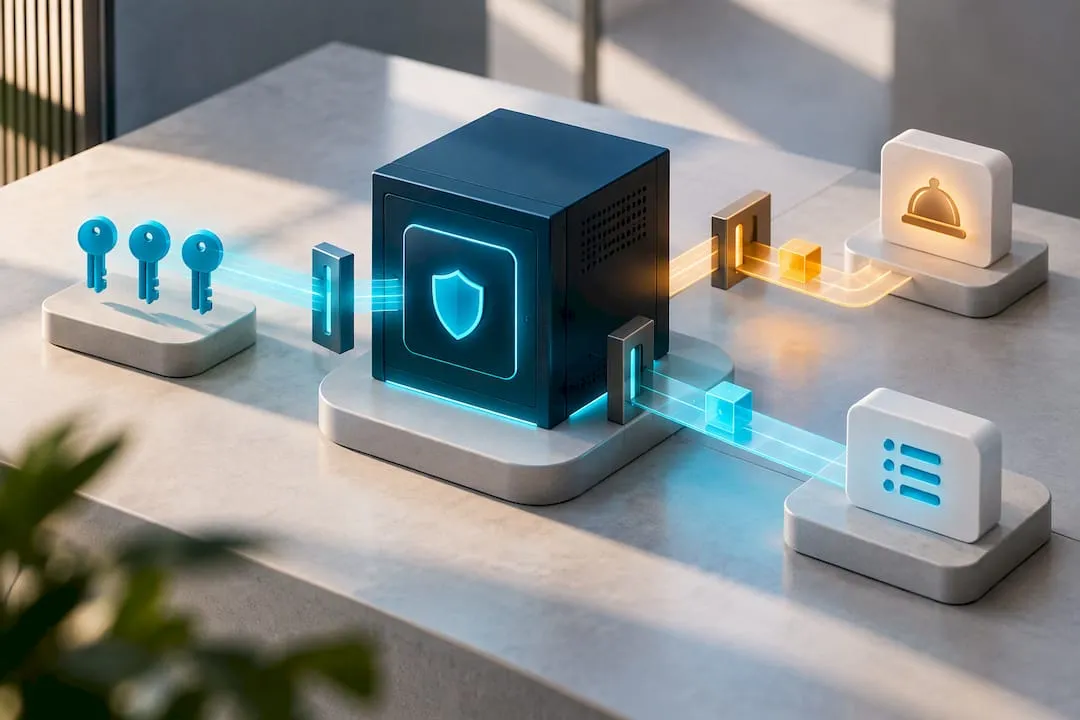
Rotate credentials periodically and immediately if a developer with access leaves the project. Limit scopes to exactly what the integration needs. If your build only submits orders and reads menu config, don’t request broader access just because it’s convenient.
Bearer tokens returned from /authentication/v1/authentication/login are short-lived by design. Build token refresh into your integration logic so an expired token doesn’t quietly stop orders from submitting during a dinner rush while showing no obvious error to staff. Log authentication failures separately from order failures, since a wave of 401s usually points to a credential or token problem, not a menu configuration issue.
Can You Process Refunds and Cancellations Through the Orders API?
Refunds and cancellations flow through order status updates rather than a separate deletion endpoint, so your integration needs to track order state, not just submission success. When a guest cancels before the kitchen fires the ticket, update the order status through the API rather than simply discarding it on your end, since Toast still needs a record that matches what actually happened at the register.
Partial refunds, where a guest wants one item removed after the order posts, require care around which selections get adjusted and how that affects the tax and total already calculated through /orders/v2/prices. Always reverify totals after any modification rather than assuming your original price call still holds. Build a clear internal process for who on staff can authorize a refund and make sure that action gets logged the same way an order submission does, so your books reconcile at the end of the night.
Does the Toast Orders API Change Versions Over Time?
Toast maintains backward compatibility on its core Orders API endpoints, but new fields and capabilities get added as the platform evolves, which is part of why newer Online Ordering feature tiers exist alongside the original version. Build your integration to ignore unrecognized fields in API responses rather than failing on them, since Toast may add response data your integration doesn’t need yet.
Watch Toast’s developer documentation for deprecation notices rather than assuming an endpoint that works today will work unchanged indefinitely. If you’re integrating through a listed partner instead of building from scratch, check the Toast partner directory for integrations that Toast already maintains version compatibility for, which shifts that maintenance burden off your own team.
When Should You DIY vs. Bring in Help?
If you’ve got a developer on staff and time to spare, building the custom integration yourself makes sense. Most operators don’t have either. Between running a kitchen and managing staff, finding hours to map GUIDs and debug 403 errors is unrealistic.
That’s usually the point where an agency earns its keep, not by writing your API integration, but by handling the pieces around it: adding order buttons to your website, wiring up pixel tracking so your ad spend actually shows results, and getting the whole rollout live faster than a solo effort would.
How ION Hospitality Gets Your Online Ordering Live Faster
Ionhospitality is the alternative to hiring a developer or an agency that charges commission on every online order. We charge zero percent commission on sales or bookings, and we handle the pieces around your Toast integration that actually drive orders: website development with order buttons built in, content creation that gets guests to click, and social media advertising campaigns wired up with pixel tracking so you can see which ad actually produced which order.

We’re restaurant owners ourselves, with two decades in the industry before we started building marketing systems for other operators. That means we know the difference between a Toast setup that looks finished and one that actually converts. If your online ordering is live but your website isn’t sending traffic to it, or your ad spend isn’t tied to real orders, get in touch and we’ll show you exactly where the gap is.
Where to Find the Official Toast Documentation
For direct technical reference, start with Toast’s Creating Orders developer guide, the first-order walkthrough, and the Online Ordering support article. For a broader look at why online ordering matters for guest retention, see this outside perspective on food ordering.
Sources
- Creating orders (Toast developer docs)
- Submitting your first order (Toast developer guide)
- Get started with Online Ordering (Toast Support)
- Food Delivery App Integrations (Toast product page)
FAQ
Does Toast Support Online Ordering?
Yes. Toast offers native Online Ordering you enable in Toast Web, direct integrations with DoorDash, Grubhub, and Uber Eats, and a full Orders API for custom builds. Which one you use depends on whether you want a fast no-code setup or full control over the ordering experience.
How Do You Set Up Online Ordering on Toast?
Go to Takeout & Delivery in Toast Web, turn on Online Ordering, set your menu visibility, choose an approval mode, and configure one Ethernet-connected auto-firing device. Toast’s own setup guide walks through revenue center mapping and test orders as the final steps before going live.
Is Toast Online Ordering Worth It?
For most full-service restaurants, yes, because orders post directly into your POS with no re-entry and no commission on direct sales. The bigger win is owning guest data for retargeting and retention campaigns, something third-party marketplaces never hand back to you.
What’s the Difference Between Toast Local and Toast Online Ordering?
Toast Online Ordering is the core channel for guests placing takeout and delivery orders directly through your branded ordering page. Toast’s broader ecosystem, sometimes referenced as local delivery or marketplace tools, adds discovery features, but the core ordering and checkout flow runs through the same Online Ordering system either way.
Can an Agency Help With My Toast Integration?
An agency won’t typically write your Orders API code, but a partner like Ionhospitality can build the website, order buttons, and pixel tracking around your Toast setup so your ad spend and online orders actually connect. Current service details are available on the website development page.
Recommended
Want this done for you?
Book a free discovery call
Tell us about your restaurant and what you want more of — guests, private events, a stronger brand — and we’ll walk you through how we’d get you there.
Book a Discovery Call